
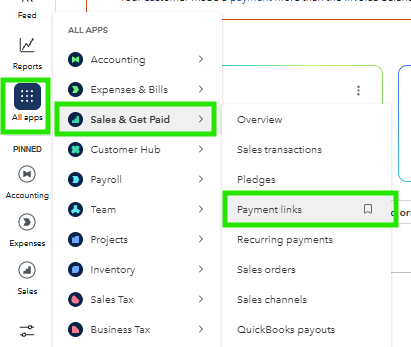
- In your QuickBooks dashboard, navigate to the Payment links tab.
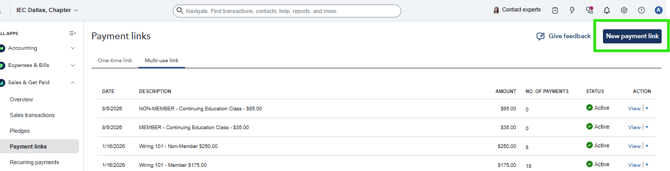
2. Click New payment link.
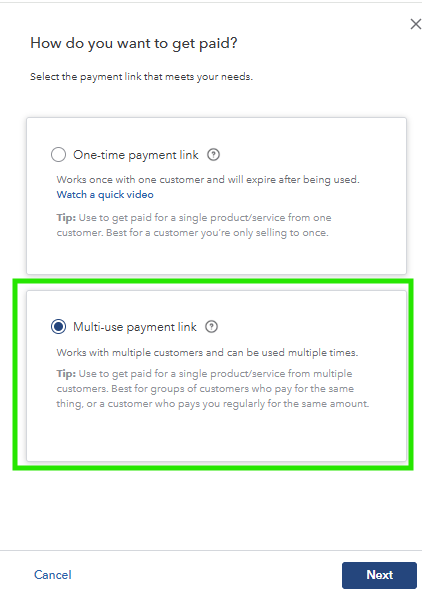
3. Select Multi-use payment link to create a link that can be used to receive multiple payments.
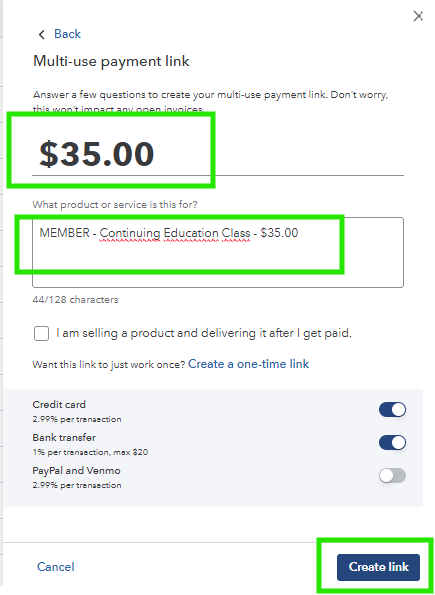
4. Enter the payment amount and a description, then click Create link.
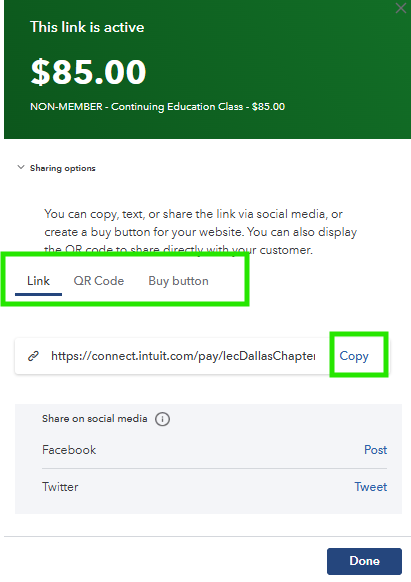
5. Once the payment link is generated, copy the link, QR code, or payment button, depending on how you plan to share it with your customers.
Important: Payments made through these payment links are synchronized to HubSpot via Zapier, where a Sales Receipt/Payment Links record is created for each payment.
To ensure the payment is correctly recorded in HubSpot, you must update the Payment link property by adding a new option with the same description as the payment link created in QuickBooks. This allows Zapier to match the payment link and save the payment correctly in HubSpot.