
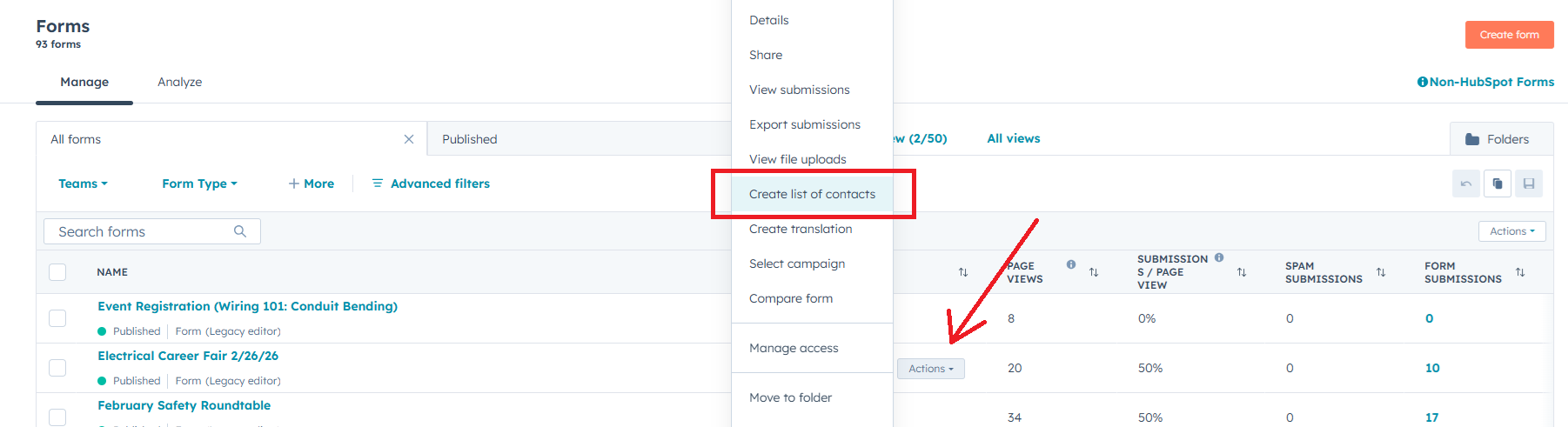
1. In the form, select Actions and then Create list of contacts. (https://app.hubspot.com/contacts/45202124/objectLists/views/all)
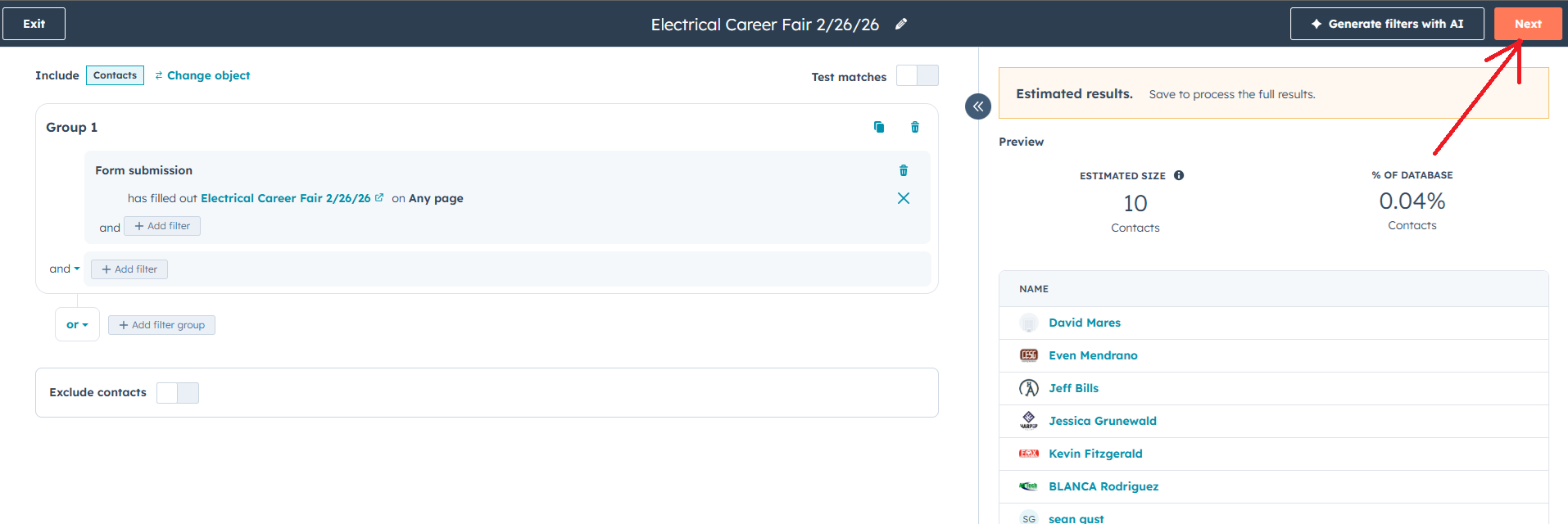
2. Click Next.
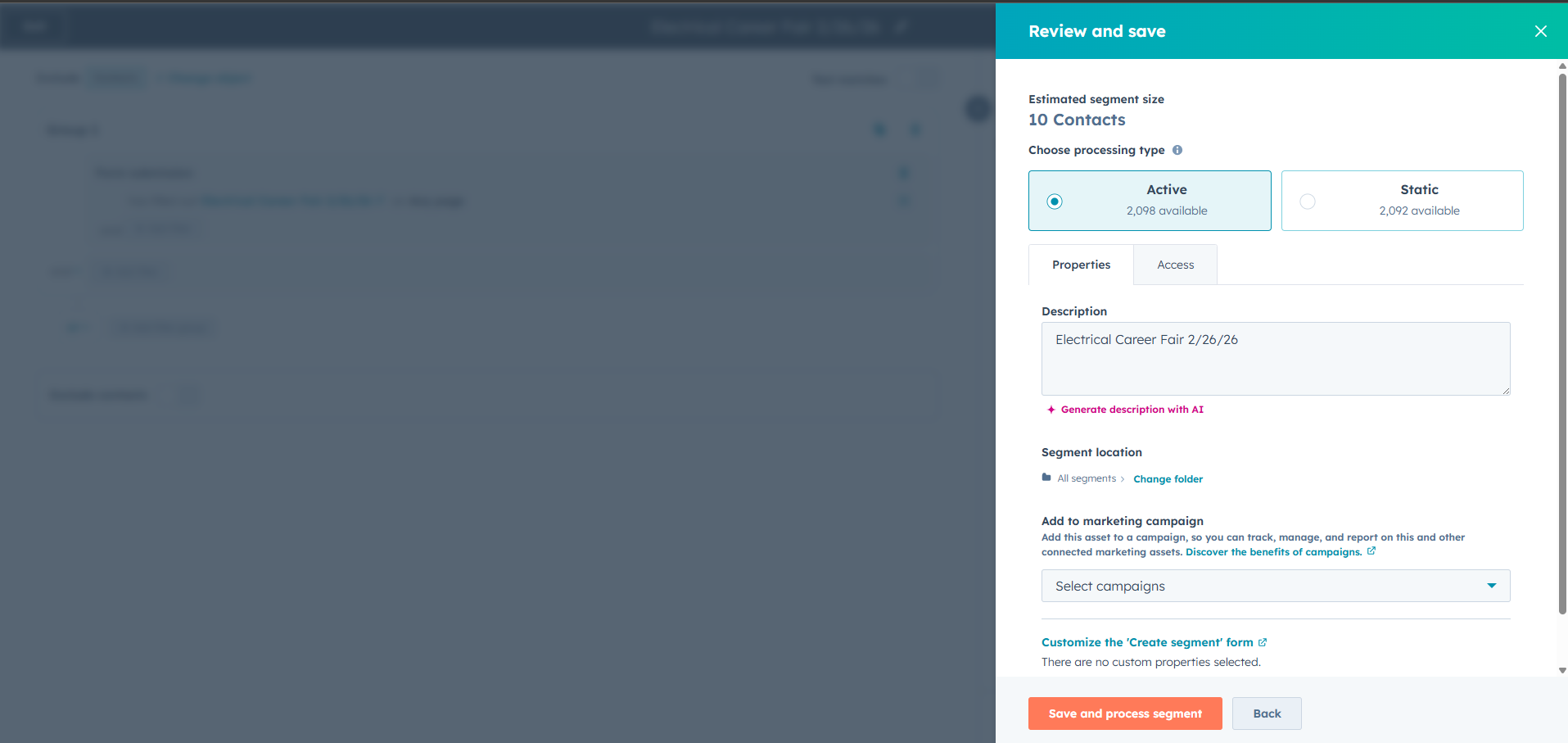
3. Leave the settings as they are (it should be set to Active) and click the orange button Save and process segment.
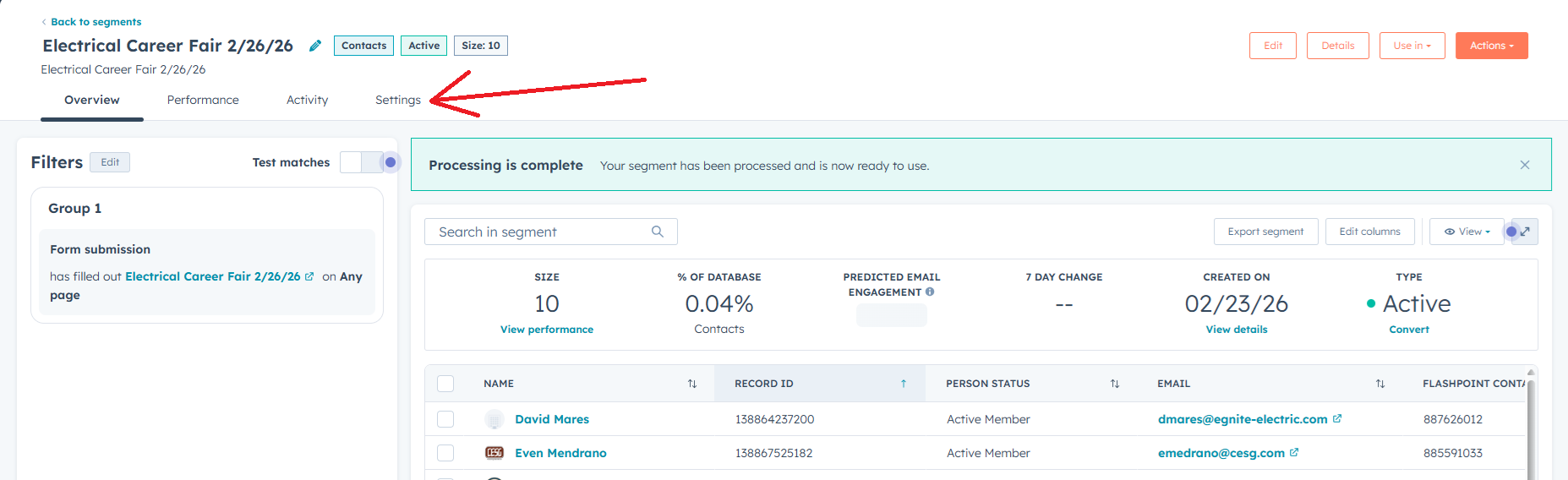
4. Finally go to Settings
5. In the Notifications section, set the desired limit and notify us internally so we can remove the form once the limit is reached.
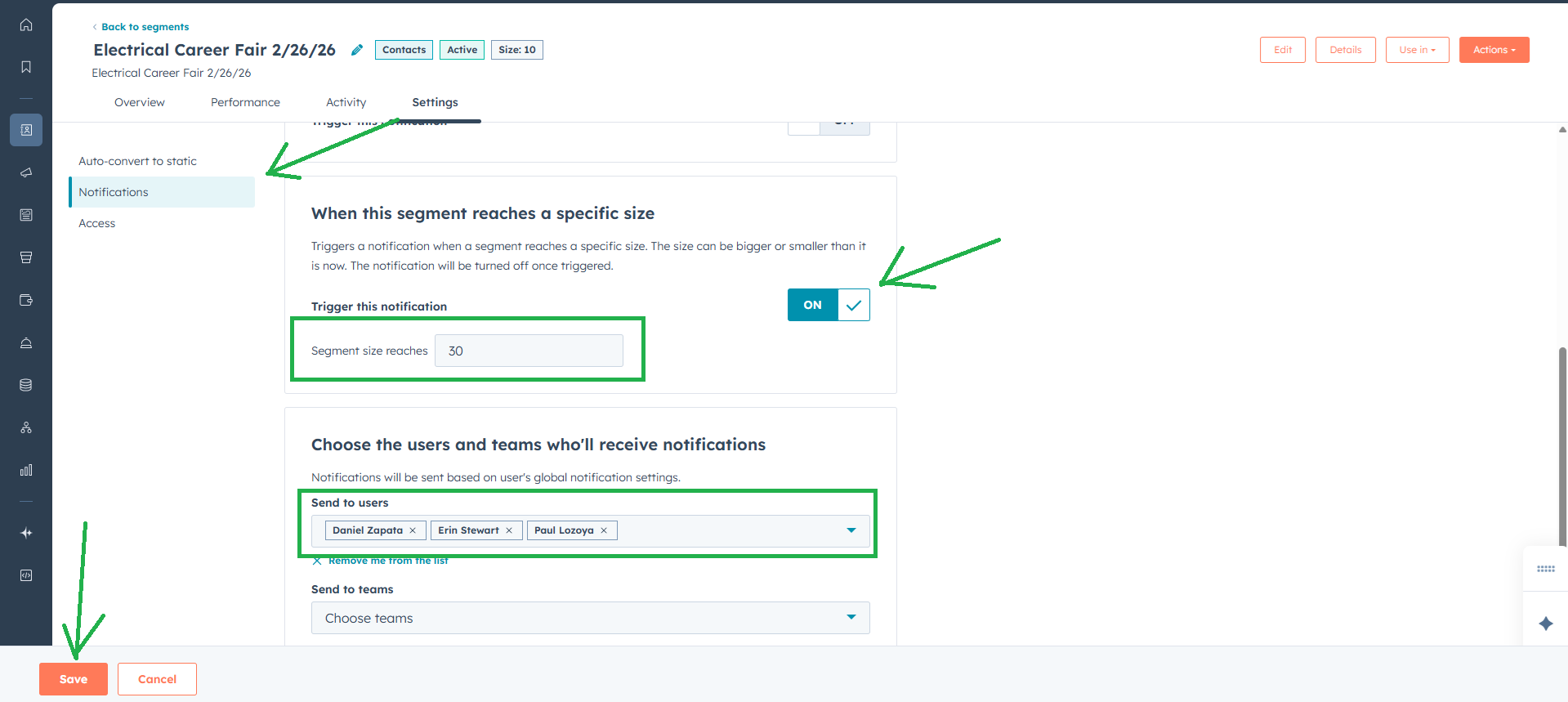
We expect to have the automatic restrict limit feature active in the coming days.
02/23/2026